
Stop Order Guide: Mastering Trade Triggers in 2026
Imagine being able to execute a trade at the exact right moment, all without watching the markets every second. In 2026, mastering the stop order is no longer optional—it is the foundation for protecting profits and managing risk in an unpredictable world.
This guide will break down what a stop order is, explain powerful trade triggers, and show you how to use these tools effectively amid today’s rapid market shifts. Discover how automation can transform your trading approach, with practical steps to take control and safeguard your investments.
Understanding Stop Orders: The Foundation of Trade Triggers
Imagine setting your trades to execute automatically, even when you are away from your desk. This is the power of a stop order, a crucial tool for investors who want to manage risk and automate trading decisions.
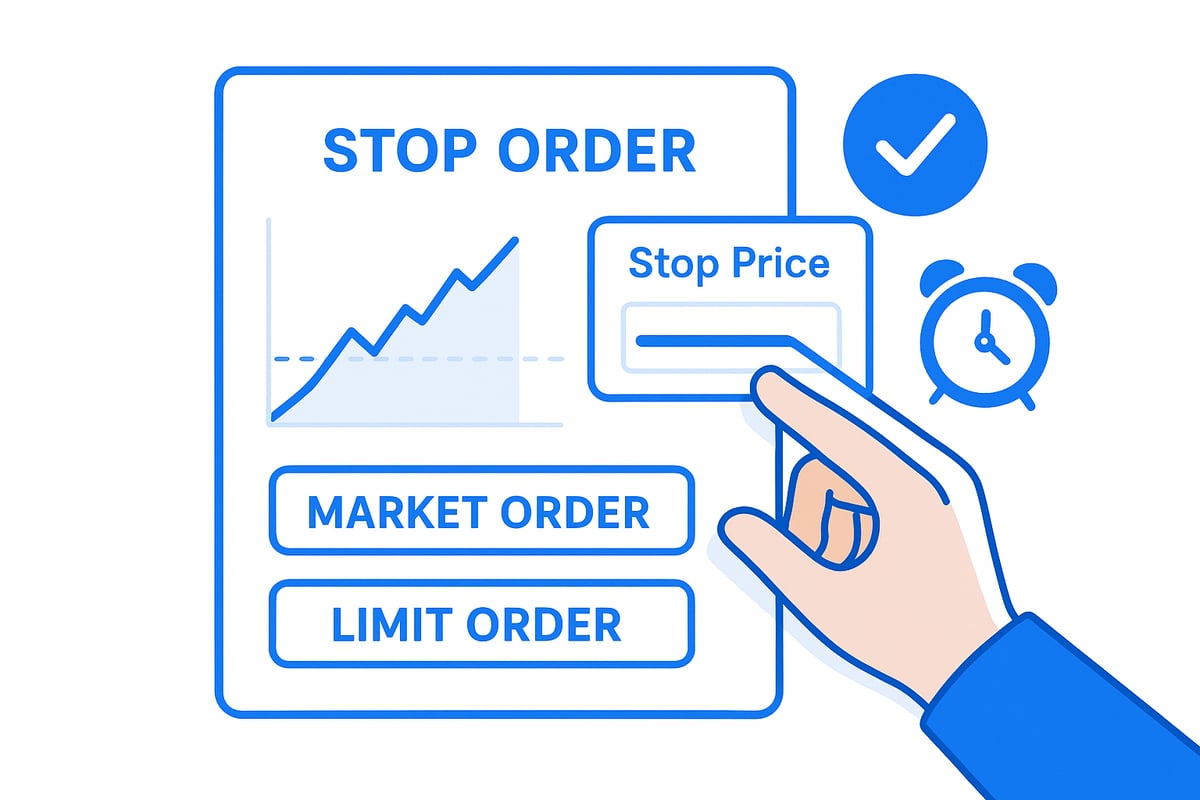
A stop order is a type of instruction you give to your broker, telling them to buy or sell an asset once it reaches a specified price, known as the stop price. When triggered, the stop order becomes a market order, executing at the next available price. This mechanism helps investors avoid the need to constantly monitor markets while ensuring that trades happen at critical levels.
To appreciate how a stop order stands apart, it helps to compare it to market and limit orders. A market order executes immediately at the current price, while a limit order sets a specific price at which you are willing to buy or sell. The stop order, in contrast, activates only when a certain price threshold is reached, then executes as a market order.
| Order Type | Trigger Condition | Execution Style | Use Case |
|---|---|---|---|
| Market Order | None | Immediate | Enter/exit quickly |
| Limit Order | Price reaches limit | At set price | Price control |
| Stop Order | Price reaches stop | Becomes market order | Risk management/automation |
Why is a stop order so important for modern investors? In today's fast-moving markets, prices can change rapidly. A stop order allows you to set predefined exit or entry points, giving you peace of mind and reducing emotional decision-making. This is especially valuable during periods of high volatility, earnings announcements, or unexpected news events.
There are several main types of stop order, each serving a different purpose. The stop-loss order is designed to limit losses by selling an asset if its price drops to your chosen stop price. On the other hand, a buy-stop order is used to enter a position when the asset's price rises to a specified level, often used to catch upward breakouts.
Investors rely on stop orders for several reasons:
- Hands-off trading, freeing you from constant screen time.
- Minimizing the impact of emotions on trading decisions.
- Limiting losses by setting automatic exit points.
- Capturing profits after a rally by trailing the stop price upward.
However, stop orders come with their own risks. Short-term price swings may trigger a stop order unintentionally, causing you to exit a position too soon. In volatile markets, slippage can occur, meaning your order executes at a price less favorable than expected.
Consider an example: you purchase a stock at $50, and after a rally, it trades at $60. You set a stop order at $57 to protect your gains. If the price drops suddenly, your stop order sells the stock, locking in profit and preventing larger losses.
Industry data supports the importance of stop orders. According to the SEC Report on Stop Order Usage, both beginner and professional investors increasingly use stop orders to automate and protect their trades, making them a foundational element in risk management.
By mastering the stop order and understanding its mechanics, you gain a powerful edge in navigating today’s dynamic markets.
Types of Stop Orders and How They Work in 2026
The modern trading landscape offers investors a suite of stop order types designed to help automate decisions, manage risk, and capitalize on market movement. Understanding how each stop order functions is crucial for building robust trading strategies in 2026.
Stop-Market Orders
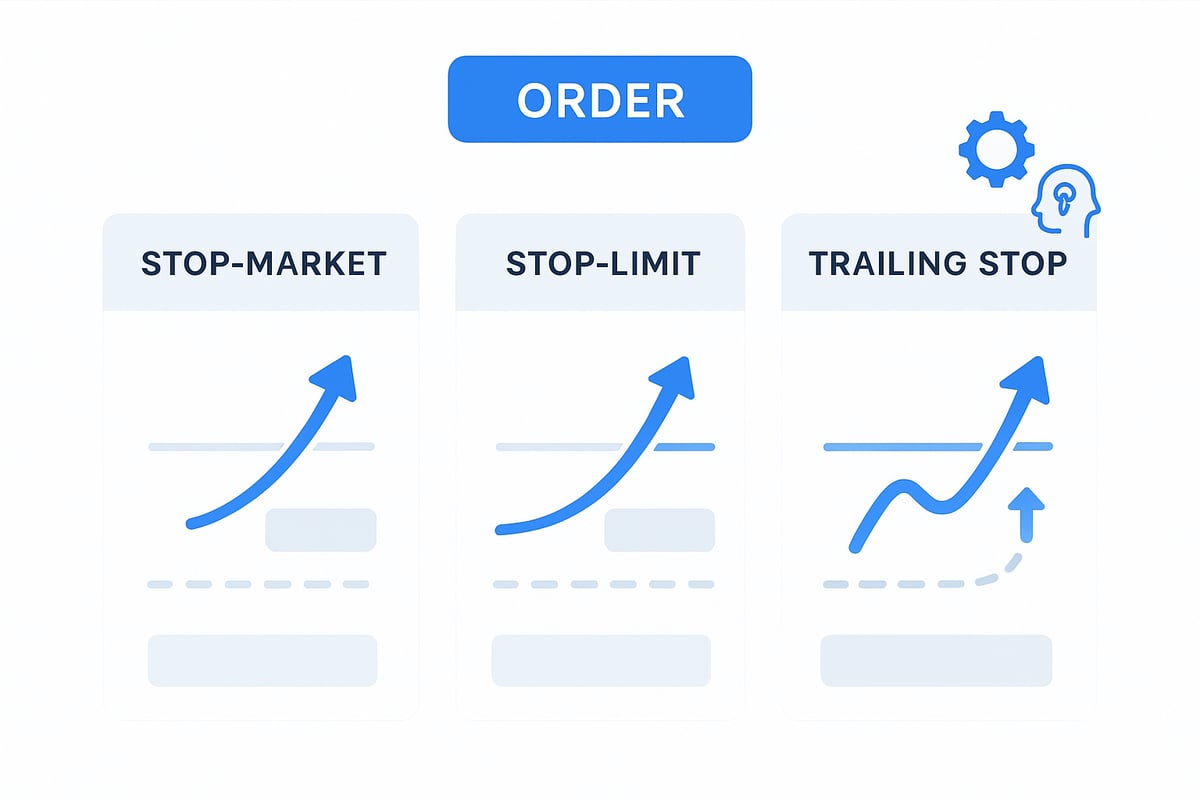
A stop-market order is the most straightforward stop order. When the asset’s price reaches your specified stop price, the stop order instantly converts into a market order. This means your trade is executed at the next available price, regardless of minor price fluctuations.
Stop-market orders are commonly used to exit a position in fast-moving markets. For example, if you own a stock trading at $100, you might set a stop order at $95. If the price falls to $95, the stop order triggers, and your shares are sold at the current market price. While this provides execution certainty, it does not guarantee the exact stop price, especially during periods of high volatility.
Stop-Limit Orders
A stop-limit order adds another layer of control. When the stop price is reached, the stop order becomes a limit order, which will only execute at your specified limit price or better. This approach helps traders avoid selling far below (or buying far above) their intended price.
For instance, if that same stock is at $100, you could set a stop order at $95 and a limit price at $94. If the price drops to $95, your order will only fill at $94 or above, protecting you from severe slippage. However, if the market price falls rapidly below your limit, the order may not execute. For a deeper dive into the benefits and risks of this strategy, see Stop-Limit Order Benefits and Risks.
Trailing Stop Orders
A trailing stop order is dynamic. Instead of a fixed stop price, the stop “trails” the market price by a set dollar amount or percentage. As the asset moves in your favor, the stop order automatically moves with it. If the market reverses, the stop stays in place and will trigger if the price declines by the set distance.
Imagine holding a stock that rallies from $100 to $120. With a 5% trailing stop, your stop order follows the price upward, locking in gains as the stock climbs. If the price drops by 5% from its high, the stop order activates, and your shares are sold, helping you capture profits without constant monitoring.
Comparing Stop Order Types
The following table summarizes the key differences among these stop order types:
| Order Type | Trigger Action | Execution Certainty | Price Control | Use Case Example |
|---|---|---|---|---|
| Stop-Market | Becomes market order at stop | High | Low | Quick exit in falling market |
| Stop-Limit | Becomes limit order at stop | Medium | High | Avoiding slippage on sharp moves |
| Trailing Stop | Adjusts as price moves | High | Moderate | Locking in profits during rally |
When selecting a stop order, balance your need for certainty and price control. Fast-moving or illiquid markets can impact how orders fill.
Order Duration and Execution Windows
Order duration is another consideration. In 2026, most platforms offer day, good-till-canceled (GTC), and extended-hours options for stop order placement. Day orders expire at market close, while GTC orders remain active until executed or canceled, sometimes for up to 90 days.
However, extended-hours trading comes with restrictions. Many platforms only allow limit orders during these sessions, which means a stop order may not trigger as expected. Slippage risk also increases outside regular market hours due to lower liquidity.
2026 Platform Enhancements
Trading platforms in 2026 have evolved to support more flexible stop order management. Investors can now combine GTC with extended-hours execution, set AI-powered alerts, and integrate stop orders with portfolio-level analytics. Many platforms offer real-time adjustment tools, allowing traders to fine-tune their stop order based on changing volatility or technical signals.
AI-driven features can automatically suggest optimal stop levels, detect unusual price action, and even pause or adjust orders in response to major news events. These enhancements help traders stay proactive and informed, even when away from their screens.
Key Insights and Limitations
While stop order technology has advanced, it is important to understand its limitations. In volatile or illiquid markets, execution may occur at prices far from your stop, especially if gaps occur overnight or during extended hours. Only limit orders are accepted in some after-hours sessions, which may prevent your stop order from executing. Reviewing order fill reports and monitoring platform updates ensures you use stop orders effectively and responsibly.
Step-by-Step Guide: Placing and Managing Stop Orders
Navigating the world of stop orders requires a clear, methodical approach. Whether you are new to trading or refining your strategy for 2026, following a proven process will help you confidently manage risk and automate your trades. Let us walk through each step to ensure you are getting the most out of your stop order strategy.

Step 1: Identify Your Trading Objective
Before placing a stop order, clarify your primary goal. Are you aiming to protect profits after a strong rally, limit potential losses, or automate entry into a position at a specific price? Defining your objective will shape every subsequent decision in the process.
Step 2: Choose the Appropriate Stop Order Type
Select the stop order that best aligns with your goals. Common types include the stop-market order for guaranteed execution, the stop-limit order for price control, and the trailing stop for dynamic adjustment as the market moves in your favor. Each type offers unique benefits and trade-offs.
Step 3: Set the Stop Price Based on Analysis
Determine your stop price using technical analysis or your own risk tolerance. Consider recent support and resistance levels, average volatility, and your willingness to accept potential loss. Placing the stop order at a strategic level can help you avoid unnecessary triggers from minor price swings.
Step 4: Select Order Duration
Decide how long the stop order should remain active. Options include day orders, good-till-canceled (GTC), or extended-hours orders. In 2026, platforms often allow more flexible combinations, but remember that not all stop orders function during pre-market or after-hours sessions.
Step 5: Place the Order Using Your Trading Platform
Access your trading platform’s order entry screen. Input the asset, select the stop order type, enter your stop price, and specify the order duration. Double-check all details before submitting to ensure your stop order executes as intended.
Step 6: Monitor Trade Execution and Adjust as Needed
After placing your stop order, keep an eye on market developments. If conditions change, adjust your stop price or order type as needed. Automation reduces emotional decision-making, but active monitoring helps you stay responsive to news and volatility.
Step 7: Review and Refine Your Stop Order Strategy
Regularly review your order fill reports to confirm execution and spot any discrepancies. Analyze the outcomes of your stop orders—did they protect your capital or trigger prematurely? Use these insights to refine your approach for future trades.
Example: Stop-Limit Order Before Earnings
Here is a chronological walkthrough of placing a stop-limit order:
| Step | Action | Detail |
|---|---|---|
| Objective | Limit loss before earnings | Stock at $120, set stop at $115, limit at $113 |
| Order Entry | Select stop-limit order | Enter stop price $115, limit price $113 |
| Duration | Choose GTC | Order remains active through earnings report |
| Monitoring | Review order fill after event | If stock gaps down, order may not execute if price < $113 |
Key Insight: Review Order Fills and Understand Price Gaps
Always check your order fills to ensure your stop order executed as planned. Price gaps, especially during earnings or news events, can cause orders to fill at unexpected prices or not at all. For a deeper look at these risks, see Risks of Using Stop Orders, which outlines execution uncertainties in volatile markets.
Mastering each step of the stop order process helps you protect your investments and respond to changing markets with confidence.
Stop Orders vs. Limit Orders vs. Market Orders: Choosing the Right Tool
Navigating different order types can feel overwhelming, but understanding their distinctions is crucial for trading success. The three primary tools—market orders, limit orders, and the stop order—each serve unique roles in your investing strategy.
Market Orders: These execute immediately at the best available price. They offer speed, making them ideal for urgent trades, but can expose you to price slippage in fast-moving markets.
Limit Orders: Limit orders allow you to specify the price at which you are willing to buy or sell. This gives you more control over your entry or exit point but does not guarantee execution if the market never reaches your set price. For a deeper dive into these definitions, see Market and limit order basics.
Stop Order: A stop order is activated only when the market hits your chosen stop price. Once triggered, it becomes a market or limit order, depending on your settings. This tool is essential for automating trades and managing risk, especially during periods of volatility.
To help clarify the differences, consider the comparison below:
| Feature | Market Order | Limit Order | Stop Order |
|---|---|---|---|
| Execution Speed | Immediate | Only at set price | After stop price |
| Price Control | Lowest | Highest | Moderate |
| Best Use | Urgent trades | Patient entries/exits | Risk management |
| Automation | Low | Medium | High |
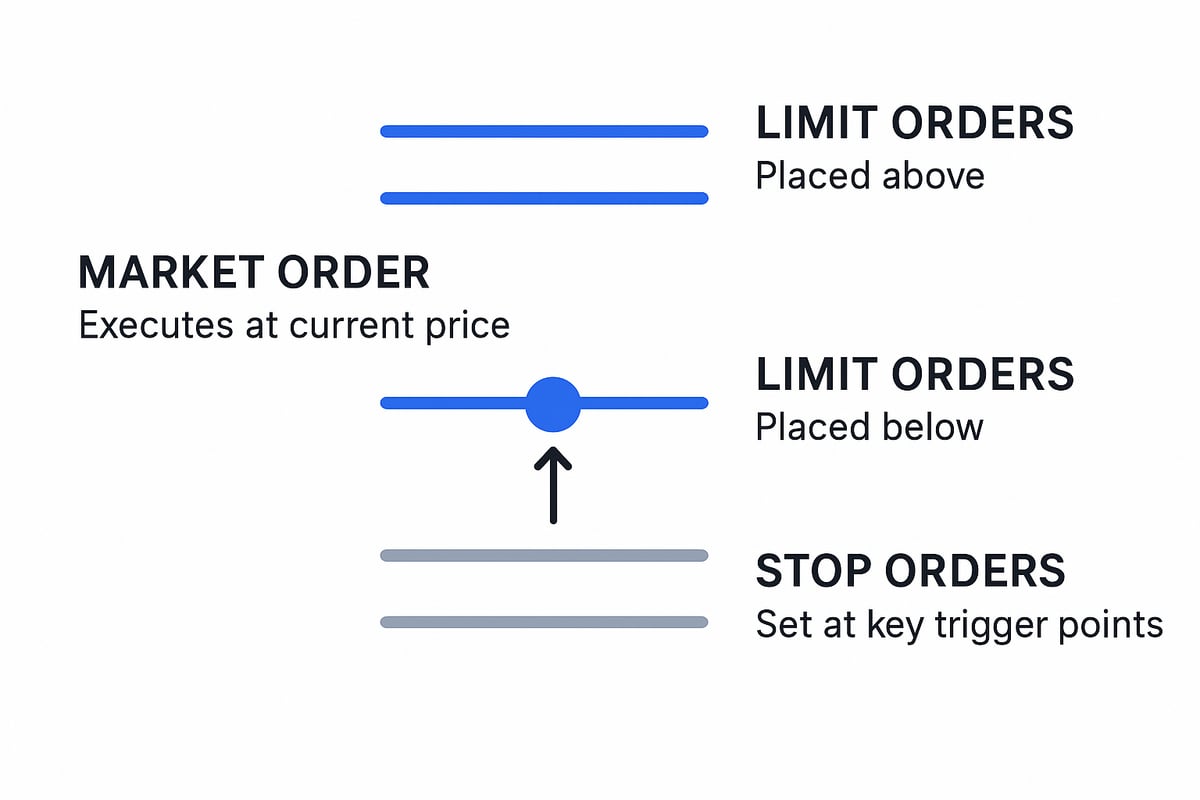
Imagine a chart where buy limit orders cluster below the current market price, sell limit orders sit above, and stop orders are strategically placed to catch moves beyond key levels. Schwab’s data illustrates that most traders use buy limits to capture value, sell limits to lock in gains, and stop orders to protect against sharp moves or automate entries during breakouts.
Choosing between these tools should not be a one-size-fits-all decision. The stop order is best for investors who prioritize risk management and automation, while limit orders suit those who are patient and want price certainty. Market orders, on the other hand, are for those who need immediate execution, accepting the risk of less favorable pricing.
In summary, matching your order type to your trading goal and market conditions is critical. Whether you turn to a stop order for hands-off protection, a limit order for precise control, or a market order for speed, understanding the nuances ensures you always have the right tool for the job.
Optimizing Trade Triggers with Modern Tools and Techniques
The landscape of trading in 2026 is defined by rapid innovation and smarter automation. Modern platforms now offer a suite of enhancements that make placing a stop order more precise, flexible, and responsive than ever. Traders benefit from AI-powered alerts, customizable trade triggers, and deep integration with real-time portfolio analytics.
Platform Advancements: AI-Powered Tools and Custom Triggers
Trading platforms have evolved to simplify the stop order process. AI-driven alert systems can scan the market for volatility spikes or pattern breakouts, notifying you instantly. Customizable triggers let you set specific conditions, such as a stock crossing a moving average or a percentage change in portfolio value.
These advancements integrate seamlessly with portfolio analytics, allowing traders to manage risk across multiple positions. A stop order can now be placed or adjusted in real time, responding to shifts in market sentiment or liquidity. For more information on how underlying order books affect execution and transparency, see Order book mechanics explained.
Setting Intelligent Stop Levels with Technical Indicators
Determining where to place a stop order is both an art and a science. In 2026, platforms help users leverage technical indicators like moving averages, support and resistance zones, and volatility bands. These tools suggest optimal stop levels based on historical price action and current market trends.
For example, setting a stop order just below a 50-day moving average can protect against downside risk while allowing room for normal price fluctuations. Many platforms now offer templates that automatically adjust stop levels as market conditions evolve, further reducing manual guesswork.
Automating Multi-Leg Trades and AI-Driven Triggers
Automation has transformed stop order strategies. Traders can now orchestrate multi-leg trades—such as buying a stock while simultaneously placing a stop order and a profit target. AI-driven trade triggers adjust stop prices in real time, factoring in volatility, trading volume, and even news sentiment.
Imagine an AI system that recognizes a sudden spike in volatility during earnings season. It can automatically tighten your stop order to lock in gains or minimize losses, all without requiring your constant attention. This level of automation is especially valuable for retail traders who cannot monitor the markets around the clock.
Best Practices: Combining Technology with Human Judgment
While technology streamlines the stop order process, human judgment remains essential. Regularly review and adjust your stop orders to reflect changing market conditions. Avoid over-reliance on automation by staying informed about relevant news and market events.
According to the FINRA Guidance on Stop Orders, it is important for investors to understand the risks and limitations of stop orders, especially during periods of high volatility. Ultimately, the most effective approach combines advanced tools with your own market knowledge, ensuring your stop order strategy is both adaptive and resilient.
The Future of Stop Orders and Trade Triggers: Trends for 2026
As we look toward 2026, regulatory bodies are focusing on improving transparency and execution standards for every stop order. Recent updates aim to ensure investors have clearer disclosures about order types, fill risks, and how orders behave during volatile periods. Enhanced reporting requirements mean traders can better understand when and why their stop order is executed, building trust in automated strategies. This shift is especially important as retail participation grows, demanding more accessible explanations and fairer market practices.
Artificial intelligence and machine learning are revolutionizing how traders deploy the stop order. AI-driven platforms can now analyze market sentiment, volatility, and even global events to recommend optimal stop order placements. These smart triggers adapt in real time, reducing the risk of slippage and missed opportunities. The result is a more proactive approach to risk management, allowing both novice and experienced investors to automate complex strategies with confidence. Algorithms can even simulate outcomes based on historical data, helping users refine their stop order setup for evolving market conditions.
The expansion of extended-hours trading and the rise of 24/7 markets have changed how investors use the stop order. Modern platforms offer seamless integration with mobile apps and voice-activated assistants, making it easier than ever to modify orders on the go. As more assets trade around the clock, traders must consider after-hours liquidity and price gaps when setting a stop order. At the same time, increased retail participation and algorithmic trading are shifting market dynamics, prompting platforms to offer more customizable stop order types and enhanced automation tools.
Imagine a scenario during a global news event where an AI-powered system automatically adjusts a stop order to account for sudden volatility, protecting your position in real time. Industry projections show that by 2026, automated triggers and advanced stop order usage will continue to climb, especially as investors seek smarter ways to manage risk. Staying informed and agile will be crucial, as the role of the stop order evolves with technology and regulation. For more insight into how these tools support your strategy, explore our guide to risk management in trading.
As you’ve seen, mastering stop orders and trade triggers is a crucial skill for navigating modern markets—especially as platforms evolve and new tools emerge. If you’re ready to take your trading strategy further and want to see how history can sharpen your market instincts, we invite you to get involved early. By joining our beta, you’ll explore interactive charts, AI-powered insights, and original news coverage—all designed to help you learn from the past and make confident decisions today. Let’s bring a new perspective to your investing journey together—Join Our Beta.